Get your Anthropic Direct API key
On this page
Your Anthropic Direct API key lets this app use your Anthropic API account. Paste it into the app. Outlet checks its format on your device and passes it to the app. Outlet never receives it.
Steps
Sign in to the Claude Console
Go to platform.claude.com and sign in, creating the account if you don't have one. Older links to console.anthropic.com land in the same place.
Open the API keys page
Go straight to platform.claude.com/settings/keys, or open Organization settings, then API keys.
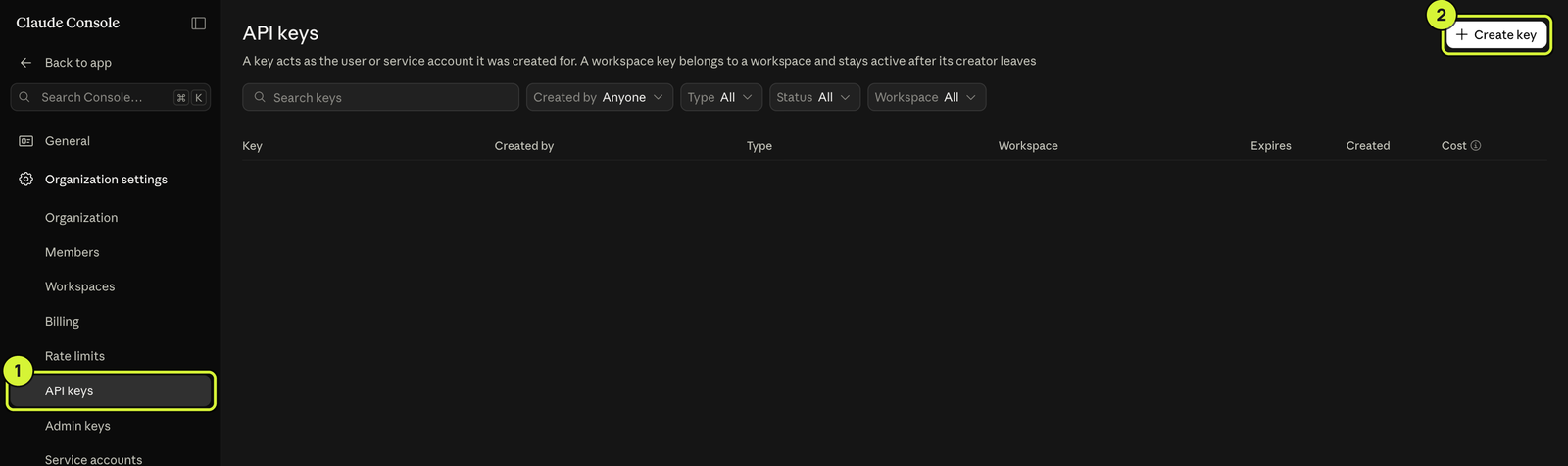
Click Create key
If Anthropic offers identity federation, choose Continue with an API key.
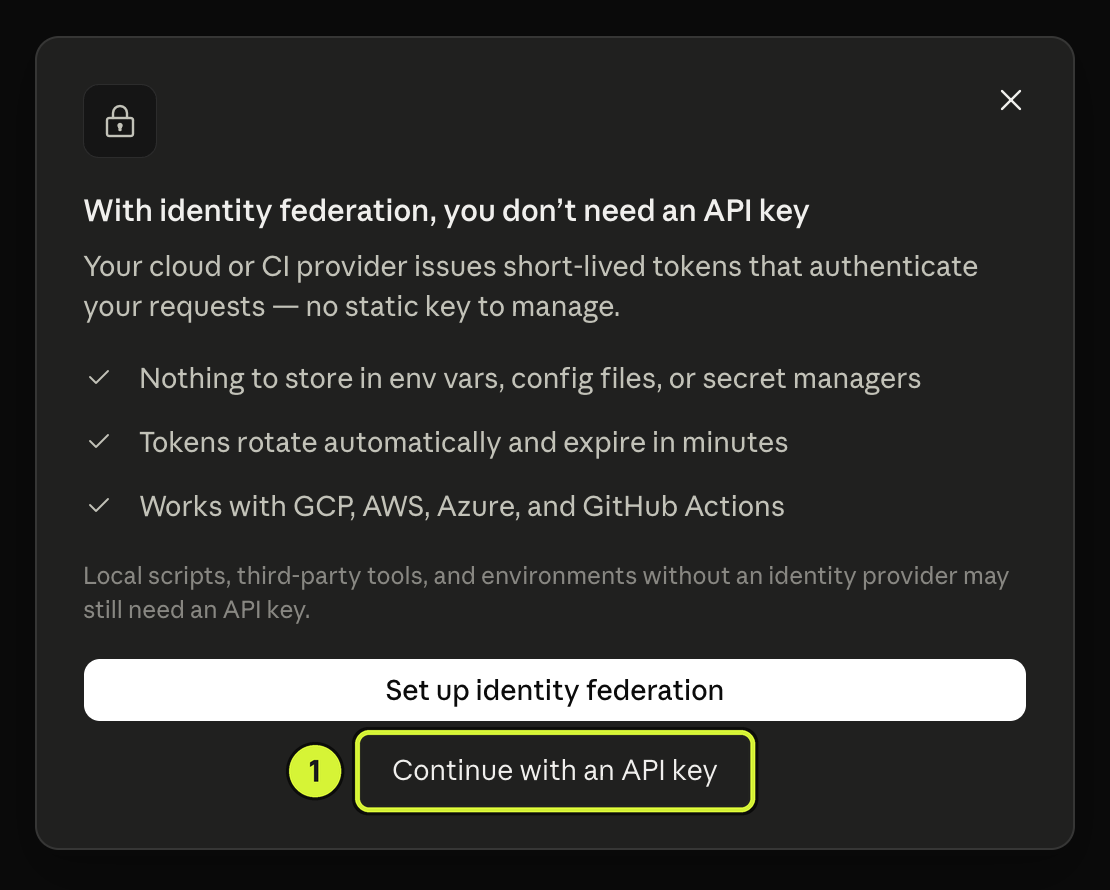
Fill in the dialog
Name it after the app you're connecting. Set Expires to Never: the default is 30 days, and an expiring key takes the app down with it. Leave Linked account and Scope as they are, then click Create key.
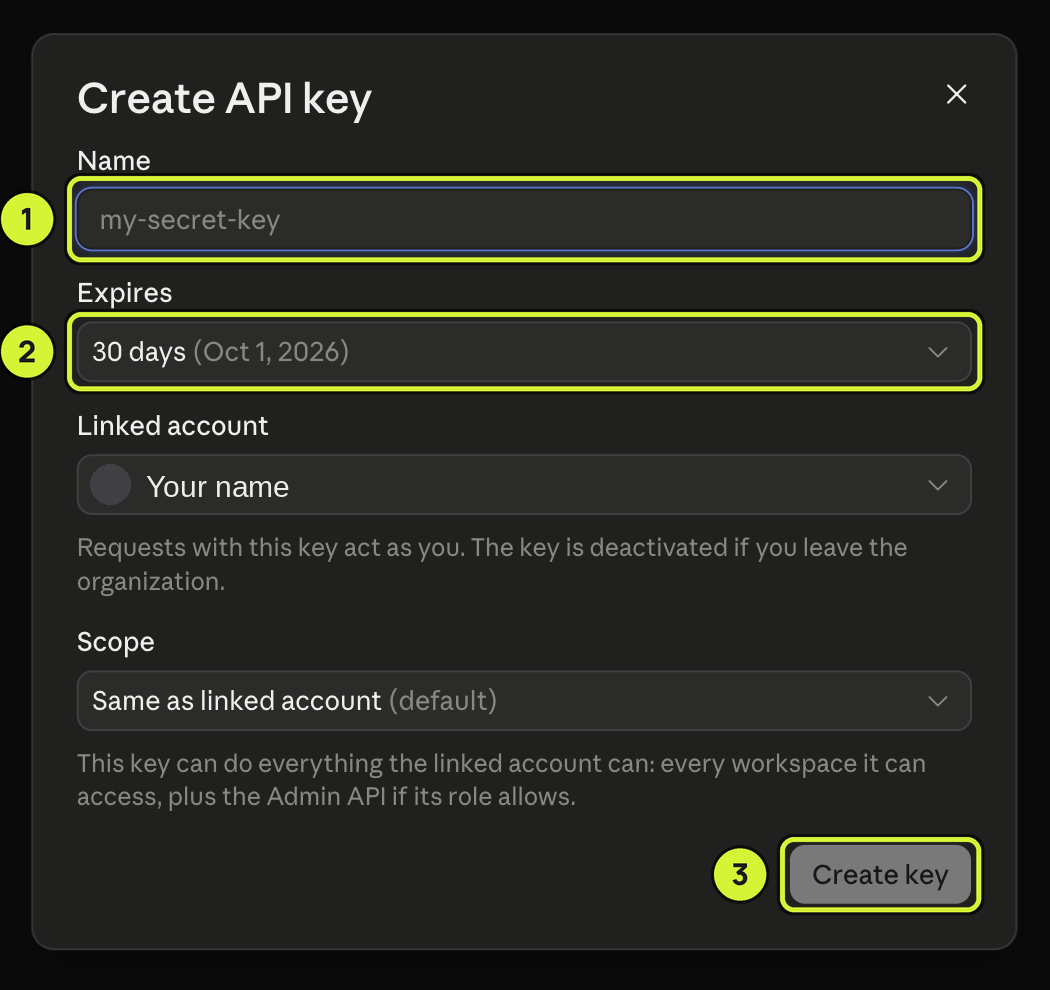
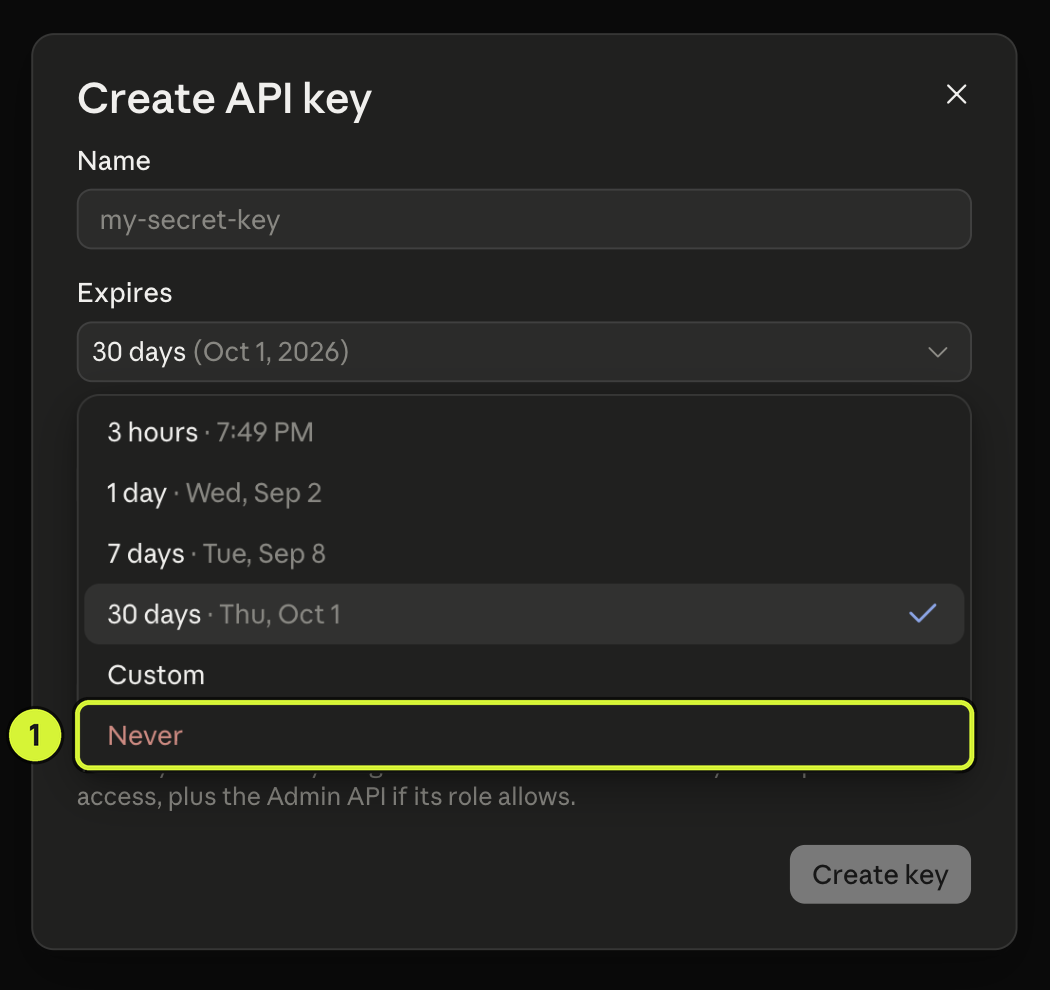
Copy the key and paste it into the app
Copy the key before closing the dialog. Paste it into the app’s Direct API key field. Anthropic shows the full key only once. Delete this Direct API key on Anthropic’s API keys page to stop that app’s access.
Learn more
Anthropic's official pages: Get started with Claude and API key best practices.